# 相关资源Hexo: https://hexo.io/zh-cn/ Shoka: https://github.com/amehime/hexo-theme-shoka Shoka 博客: https://shoka.lostyu.me/computer-science/note/theme-shoka-doc/ Node.js: http://nodejs.org/ Git: https://git-scm.com/downloads # 安装步骤# NodeJS 安装略
# 安装 Git略
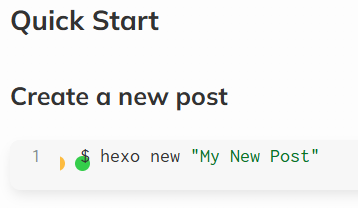
# 安装 Hexo 脚手架# 创建 Hexo 项目在一个空白文件夹打开终端
若有以下提示,则切换至 cmd 继续创建
1
2
3
4
5
6
7
hexo : 无法加载文件 C:\Users\****\AppData\Roaming\npm\hexo.ps1,因为在此系统上禁止运行脚本。有关详细信息,请参阅 https :/go.microsoft.com/fwlink/?LinkID=135170 中的 about_Execution_Policies。 所在位置 行:1 字符: 1 + hexo + ~~~~ + CategoryInfo : SecurityError: (:) [],PSSecurityException + FullyQualifiedErrorId : UnauthorizedAccess
# 测试 Hexo1 2 npm run build npm run server
若观察到如下输出则说明服务正常,可访问 http://localhost:4000/ 查看初步博客的样式
1 2 3 4 5 6 7 8 E:\Blog\hexo>npm run server > hexo-site@0.0.0 server > hexo server INFO Validating config INFO Start processing INFO Hexo is running at http://localhost:4000/ . Press Ctrl+C to stop.
# Shoka 主题安装# Clone 主题在 Hexo 博客根目录打开终端,克隆 Shoka 主题至 theme\shoka 文件夹
1 git clone https://github.com/amehime/hexo-theme-shoka.git ./themes/shoka
# 配置主题复制 theme\shoka\_config.yml 至根目录,更名为 _config.shoka.yml 打开 theme\shoka\example\_config.yml 文件,复制从 theme: shoka 到最后的所有文本,至 _config.yml 相同位置,覆盖到最后 # 安装主题插件依赖卸载原本 Markdown 渲染器
1 npm un hexo-renderer-marked --save
安装依赖
1 2 3 4 5 npm i hexo-renderer-multi-markdown-it --save --ignore-scripts npm i hexo-autoprefixer --save npm i hexo-algoliasearch --save npm i hexo-symbols-count-time --save npm i hexo-feed --save
到此步骤,重新启动 Hexo 即可看到主题生效
# 配置搜索服务注册 algolia 账号 修改默认 Application 建议为 shoka 点击 Settings - Api Keys 复制 Application ID 与 Search API Key 与 Admin API Key 填入 _config.yml 的 algolia 部分 1 2 3 4 algolia: appId: apiKey: adminApiKey:
点击 DataSource - Indices 创建一个名为 shoka 的索引 以后每次新建或编辑文章,在 build 后都要加一步来更新索引 # 配置评论服务注册 LeanCloud 账号,由于现在国内注册需要身份验证,介意的可切换至国际版 创建一个应用,名称建议为 Hexo_Comment 点击 设置 - 应用凭证 复制 AppID 与 MasterKey 与 REST API 服务器地址 填入 _config.shoka.yml 中 1 2 3 4 5 valine: appId: appKey: ... serverURLs:
标记邮箱身份,可将自己的常用邮箱进行 32 位小写的 md5 加密,填入 _config.shoka.yml 中 1 2 3 4 5 valine: ... tagMember: master: - 常用邮箱hash
# WordPress 迁移# 从 WordPress 导出数据登录 WordPress 后台 选择 工具-导出-所有数据 ,下载导出的 xml 文件 # 安装迁移插件1 npm install hexo-migrator-wordpress --save
# 导入迁移数据1 hexo migrate wordpress 导出xml路径
导入之后保留了文章的元数据,包括标题、标签、分类与创作日期。但是草稿以及主题的部分功能都以文章被导出,需要自己处理,大概需要手动处理的内容:
文章 Markdown 格式一般都存在错误,需要手动覆盖 包含无效的标签,比如 [toc] 图片依旧存在于 wp-uploads 内,需要手动迁移 特色图片也无法被自动迁移 # 适配高版本 Hexo如果不想做适配,可以切换 Hexo 版本至 5.4.*
1 2 npm un hexo --save npm i hexo@5.4 --save
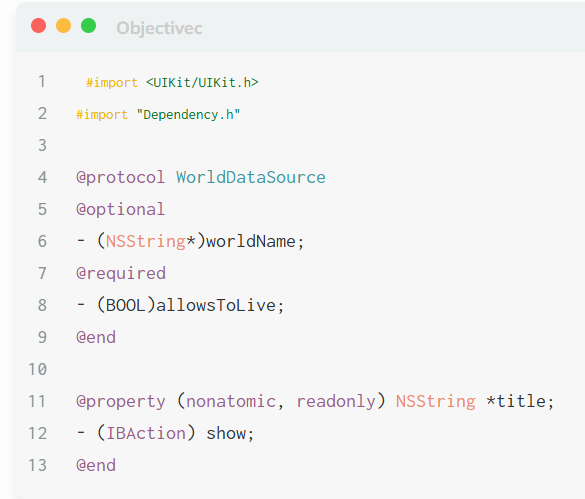
# 修复代码块渲染异常表现为标题栏缺失,mac 红绿灯错位
在 themes\shoka\source\js\_app\page.js 中
1 2 3 4 5 $.each('figure.highlight', function (element) { + element.insertAdjacentHTML('afterbegin', '<figcaption data-lang="' + element.classList[1] + '"></figcaption>'); var code_container = element.child('.code-container'); var caption = element.child('figcaption'); ...
# 修复代码块复制功能异常表现为复制内容包含异常行号themes\shoka\source\js\_app\page.js 中
1 2 3 4 5 6 7 8 9 10 11 12 13 14 15 16 17 18 19 20 $.each('figure.highlight', function (element) { element.insertAdjacentHTML('afterbegin', '<figcaption data-lang="' + element.classList[1] + '"></figcaption>'); var code_container = element.child('.code-container'); var caption = element.child('figcaption'); element.insertAdjacentHTML('beforeend', '<div class="operation"><span class="breakline-btn"><i class="ic i-align-left"></i></span><span class="copy-btn"><i class="ic i-clipboard"></i></span><span class="fullscreen-btn"><i class="ic i-expand"></i></span></div>'); var copyBtn = element.child('.copy-btn'); if(LOCAL.nocopy) { copyBtn.remove() } else { copyBtn.addEventListener('click', function (event) { var target = event.currentTarget; var comma = '', code = ''; - code_container.find('pre').forEach(function(line) { + code_container.find('.code>pre').forEach(function(line) { code += comma + line.innerText; comma = '\n' }) ...
# 代码块第一行首端的空格
在 themes\shoka\source\css\_common\components\highlight\highlight.styl 中
1 2 3 4 5 6 7 8 9 10 11 td { position: relative; padding: unset; vertical-align: unset; border: unset; the-transition(); pre::before { - content: " "; + /* content: " "; */ } }
# 美观性更改# 添加底部备案栏在 themes\shoka\layout\_partials\footer.styl 中
1 2 3 4 5 6 7 8 + <div><a href="http://beian.miit.gov.cn/">冀ICP备202*****6号-1</a></div> {%- if theme.footer.powered %} <div class="powered-by"> {{ __('footer.powered', _url('https://hexo.io', 'Hexo') + ' & Theme.' + _url('https://github.com/amehime/hexo-theme-shoka', 'Shoka')) }} </div> {%- endif %} </div>
# 修改页面切换时的标题内容在 themes\shoka\languages\zh-CN.yml 中
1 2 3 4 5 favicon: - show: (●´3`●)やれやれだぜ - hide: (´Д`)大変だ! + show: (´∀((☆ミつ + hide: \| ω・´)
show 为切换回网页显示的文本, hide 为网页被切换显示的文本
# 修改标题中的 = 为 -在 themes\shoka\layout\_partials\layout.styl 中
1 2 3 4 5 6 <head> {{ partial('_partials/head/head.njk', {}, {cache: true}) }} {{ partial('_partials/head/head_unique.njk') }} - <title>{% block title %}{% endblock %}{{ alternate + " = " if alternate }}{{ title }}{{ " = "+subtitle if subtitle }}</title> + <title>{% block title %}{% endblock %}{{ alternate + " - " if alternate }}{{ title }}</title> </head>
此处也一起删除了副标题
# 修改网页图标修改 themes\shoka\source\images 内的 favicon.ico 即可。 failure.ico 为网页被切换时显示的图标,若不喜欢可将此图标设置为与 favicon.ico 相同
# 删除复制内容的版权标识在 themes\shoka\source\js\_app\page.js 中
1 2 3 4 5 6 7 8 9 10 11 12 13 14 15 16 17 18 19 20 21 22 23 24 25 $('.post.block').oncopy = function(event) { showtip(LOCAL.copyright) if(LOCAL.nocopy) { event.preventDefault() return } + // var copyright = $('#copyright') + // if(window.getSelection().toString().length > 30 && copyright) { + // event.preventDefault(); + // var author = "# " + copyright.child('.author').innerText + // var link = "# " + copyright.child('.link').innerText + // var license = "# " + copyright.child('.license').innerText + // var htmlData = author + "<br>" + link + "<br>" + license + "<br><br>" + window.getSelection().toString().replace(/\r\n/g, "<br>");; + // var textData = author + "\n" + link + "\n" + license + "\n\n" + window.getSelection().toString().replace(/\r\n/g, "\n"); + // if (event.clipboardData) { + // event.clipboardData.setData("text/html", htmlData); + // event.clipboardData.setData("text/plain", textData); + // } else if (window.clipboardData) { + // return window.clipboardData.setData("text", textData); + // } + // } }